How to compare scooter rides and battery efficiency
A ride that used 30% battery and another that used 40% are not automatically evidence of a 10-point loss in battery health. The routes may have had different wind, climbing, speed, pressure, temperature or traffic.
Good comparison starts by holding the largest variables steady and keeping the conclusion proportional to the data.
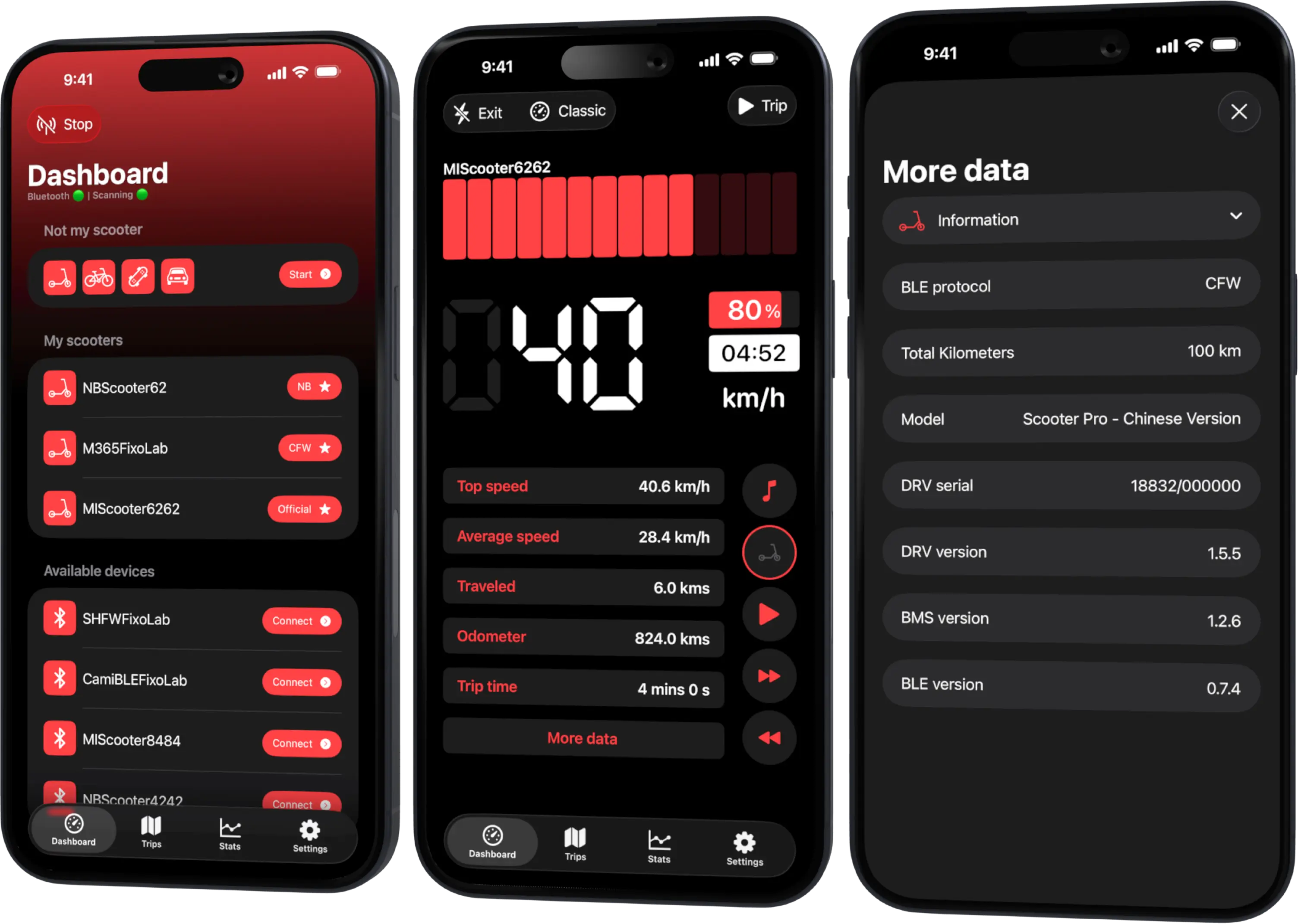
Your Xiaomi and Ninebot scooter dashboard
Monitor speed, battery, mileage, temperature and routes in real time, with support for official and custom firmware
Available on Android, iPhone, iPad and Mac, with Wear OS support and iCloud sync on Apple devices
Choose the question first
Decide whether you are comparing tire pressure, riding mode, seasonal range, a maintenance change or a possible battery trend. Change one important factor at a time where practical.
Do not use public roads as a laboratory for unsafe speeds or depleted-battery tests.
Record the same context
For each ride, note:
- exact route and direction;
- distance, duration and average speed;
- starting and ending percentage;
- riding mode and major stops;
- temperature, wind and surface conditions;
- tire pressure measured cold;
- rider and cargo;
- whether the battery began hot or cold.
Scooter Tools can record supported trip values while the connection remains active. Platform, model and permission differences may change the fields available.
Useful simple metrics
Percentage points per 10 km is easy to understand:
battery points used / distance × 10
It is still an estimate because displayed percentage is not a laboratory energy meter. If voltage and current histories are available, they add context but do not automatically create a calibrated watt-hour measurement.
Compare completed routes of useful length. Very short trips magnify rounding and start-up effects.
Treat elevation and wind seriously
An out-and-back route helps expose direction effects, but wind can change during the ride and regeneration does not recover all climbing energy. Note strong gusts and sustained gradients rather than assuming equal distance means equal work.
Look for a trend
Use a small set of comparable trips. One outlier may reflect a detour or cold morning. A repeated shift under similar conditions is more informative and can justify checking pressure, brake drag, wheel bearings or battery condition.
Do not claim an exact percentage of degradation from ordinary trip logs.
Protect location privacy
Routes can reveal home, work and daily habits. Export or share only the segment needed for diagnosis. Crop map endpoints, remove exact timestamps and redact scooter identifiers and pairing material.
A fair before-and-after test
- Inspect the scooter and set approved tire pressure.
- Use the same route, mode and load.
- Start at a similar battery and temperature state.
- Record at least several rides on each side of the change.
- Compare medians or ranges, not only the best result.
- Keep safety reserve; never force a full discharge.
For range projection, continue with estimating real-world scooter range.
Frequently asked questions
Is percentage per kilometer exact efficiency?
No. It is a convenient dashboard comparison based on the scooter’s percentage estimate.
How many rides do I need?
Enough to see whether the result repeats. Conditions matter more than a universal sample count.
Why compare both directions?
It helps reveal gradient and wind effects that one-way commuting can hide.
Can I share a trip screenshot safely?
Only after removing private endpoints, exact times, identifiers and any BLE credential material.
Your Xiaomi and Ninebot scooter dashboard
Monitor speed, battery, mileage, temperature and routes in real time, with support for official and custom firmware
Available on Android, iPhone, iPad and Mac, with Wear OS support and iCloud sync on Apple devices
| FixoLab
Why scooter odometer, trip and map distance can differ
Explain differences between scooter odometer, app trip distance and mapped route using wheel data, GPS sampling, rounding and connection state.
| FixoLab
Using the Not My Scooter Dashboard With Your Phone's Sensors
See how Not My Scooter uses your phone's own sensors for a speedometer-style dashboard, with no Bluetooth connection to a vehicle.
| FixoLab
Recording Trips and Ride Stats Without Cloud Vehicle Control
How Scooter Tools saves trip history and ride stats locally on your device as you ride, without sending your route or vehicle control commands to any cloud service.
| FixoLab
Feature Parity and Current Differences Between iOS and Android
What's the same and what's different between the Scooter Tools iOS and Android apps today, including widgets, Apple Watch and iCloud sync.