Location permissions for scooter trip recording explained
A mapped scooter trip needs location samples from the phone. Bluetooth telemetry can provide scooter speed or battery data, but it does not give the app a complete road route. Location permission therefore affects the map even when the scooter remains connected.
Grant only the access needed for the feature you choose, and review it in the operating-system settings.
Your Xiaomi and Ninebot scooter dashboard
Monitor speed, battery, mileage, temperature and routes in real time, with support for official and custom firmware
Available on Android, iPhone, iPad and Mac, with Wear OS support and iCloud sync on Apple devices
Bluetooth and location have different jobs
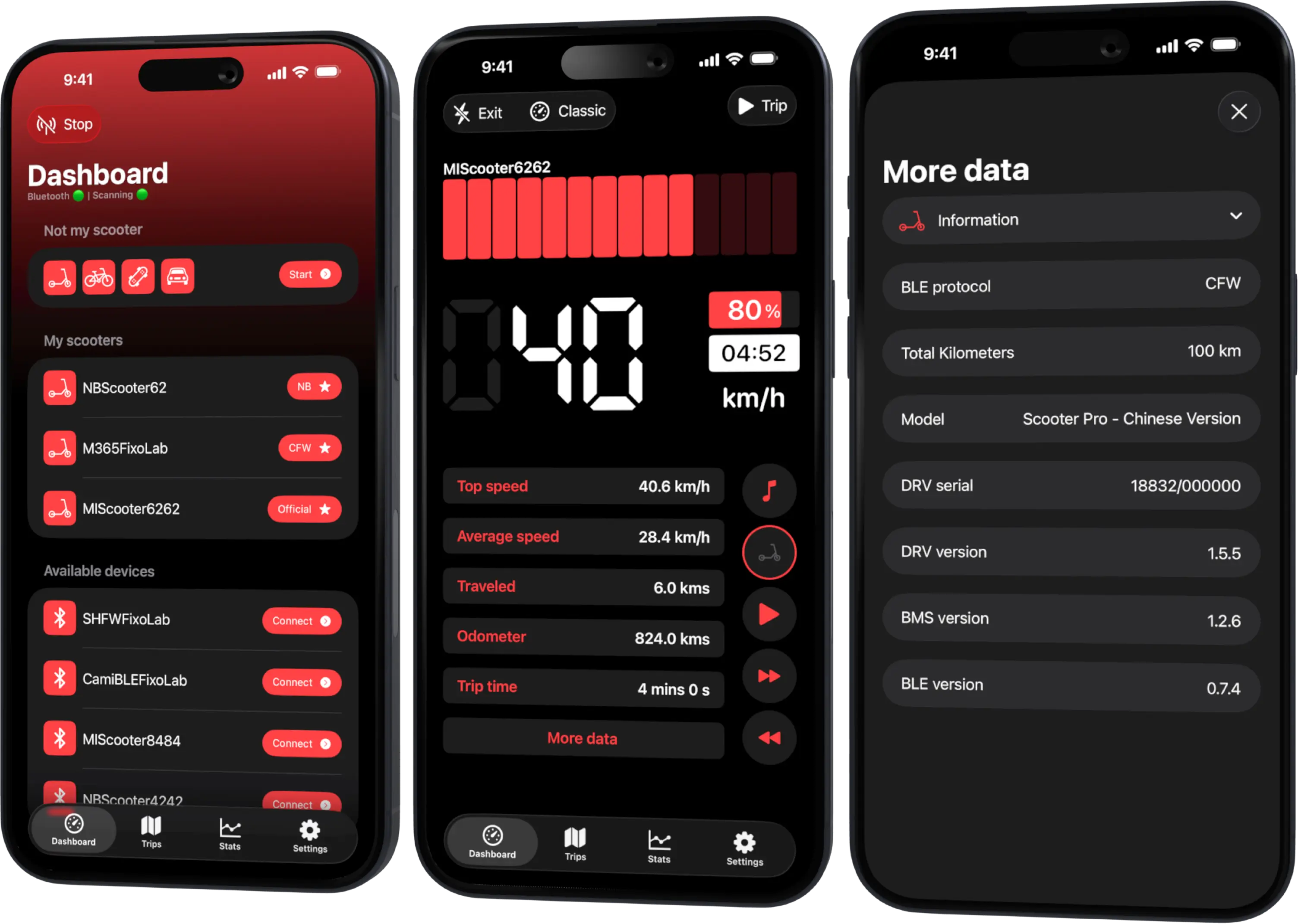
Bluetooth connects locally to a compatible scooter and reads supported telemetry. Location records the phone’s movement for route and distance features. Turning on one does not automatically grant the other.
On some operating-system versions, nearby-device discovery also has its own permission rules. Follow the current in-app explanation rather than an old screenshot.
While-in-use access
Access only while using the app can support a foreground recording when Scooter Tools remains active. If the screen locks or another app takes focus, the operating system may restrict work depending on platform and configuration.
Test a short route before relying on it for a long trip.
Background access
Background recording can require a stronger location permission and visible system indication. Grant it only if you intend to record while the app is not foregrounded. Battery-saving settings and forced app termination can still interrupt a session.
Android and iOS use different permission names and lifecycle rules. Do not expect one platform’s dialog sequence on the other.
Precise versus approximate location
Approximate location may protect privacy but can make a route less detailed or unsuitable for trip mapping. If the feature requires precise access, the app should explain why. You can revoke it after the ride, but future recordings may then be less complete.
A permission checklist
- Start from the Scooter Tools trip screen.
- Read the explanation before opening system settings.
- Grant the minimum level that supports the intended recording.
- Confirm location services and Bluetooth are enabled.
- Disable aggressive battery restrictions if the documented Android flow requires it.
- Record a short loop and inspect the result.
- Revisit permissions when you no longer use trip recording.
If the map has gaps
Check permission level, precision, location services, low-power mode, app termination, Bluetooth state and sky visibility. A gap does not automatically mean the scooter protocol failed.
Do not repeatedly reinstall before recording the state of these settings; reinstalling can reset permissions and erase useful context.
Route privacy
Location stays sensitive after recording. Protect device backups, exports, widgets and screenshots. Crop home and work before sharing a map. Scooter control remains local over Bluetooth; that does not make every exported route anonymous.
For the complete trip flow, read recording trips and ride stats.
Frequently asked questions
Why does trip recording ask for location if the scooter has speed data?
Speed alone does not describe the route geometry or phone position.
Must I allow location all the time?
Only grant the level required by the recording behavior you choose. Review the current platform guidance.
Why is the route straight between two distant points?
The operating system may have delivered too few samples because of permission, precision, power or signal conditions.
Does denying location stop Bluetooth monitoring?
Capabilities and OS rules vary, but route mapping specifically will be unavailable or incomplete. Follow the app’s current permission explanation.
Your Xiaomi and Ninebot scooter dashboard
Monitor speed, battery, mileage, temperature and routes in real time, with support for official and custom firmware
Available on Android, iPhone, iPad and Mac, with Wear OS support and iCloud sync on Apple devices
| FixoLab
How to keep scooter trip recording working in the background
Reduce missing scooter trip data by preparing location, Bluetooth, battery settings and app state before locking the phone or switching apps.
| FixoLab
How to export scooter trip data without exposing private routes
Prepare a useful scooter trip export or support sample while protecting home, work, timestamps, device identifiers and Bluetooth credentials.
| FixoLab
Why BLE Scooter Control Stays Private and Local to Your Phone
Why the connection between Scooter Tools and your scooter is a direct Bluetooth link with no cloud step involved, and exactly where your scooter data actually goes.
| FixoLab
How to compare scooter rides and battery efficiency
Use repeatable routes and Scooter Tools trip data to compare battery use without confusing weather, speed, elevation or payload with battery degradation.