How to export scooter trip data without exposing private routes
Trip data can help analyze range, document a recurring recording problem or keep a personal history. It can also reveal where you live, when you travel and which device you use.
Before exporting anything, decide the purpose and include only the fields and route segment needed for that purpose.
Your Xiaomi and Ninebot scooter dashboard
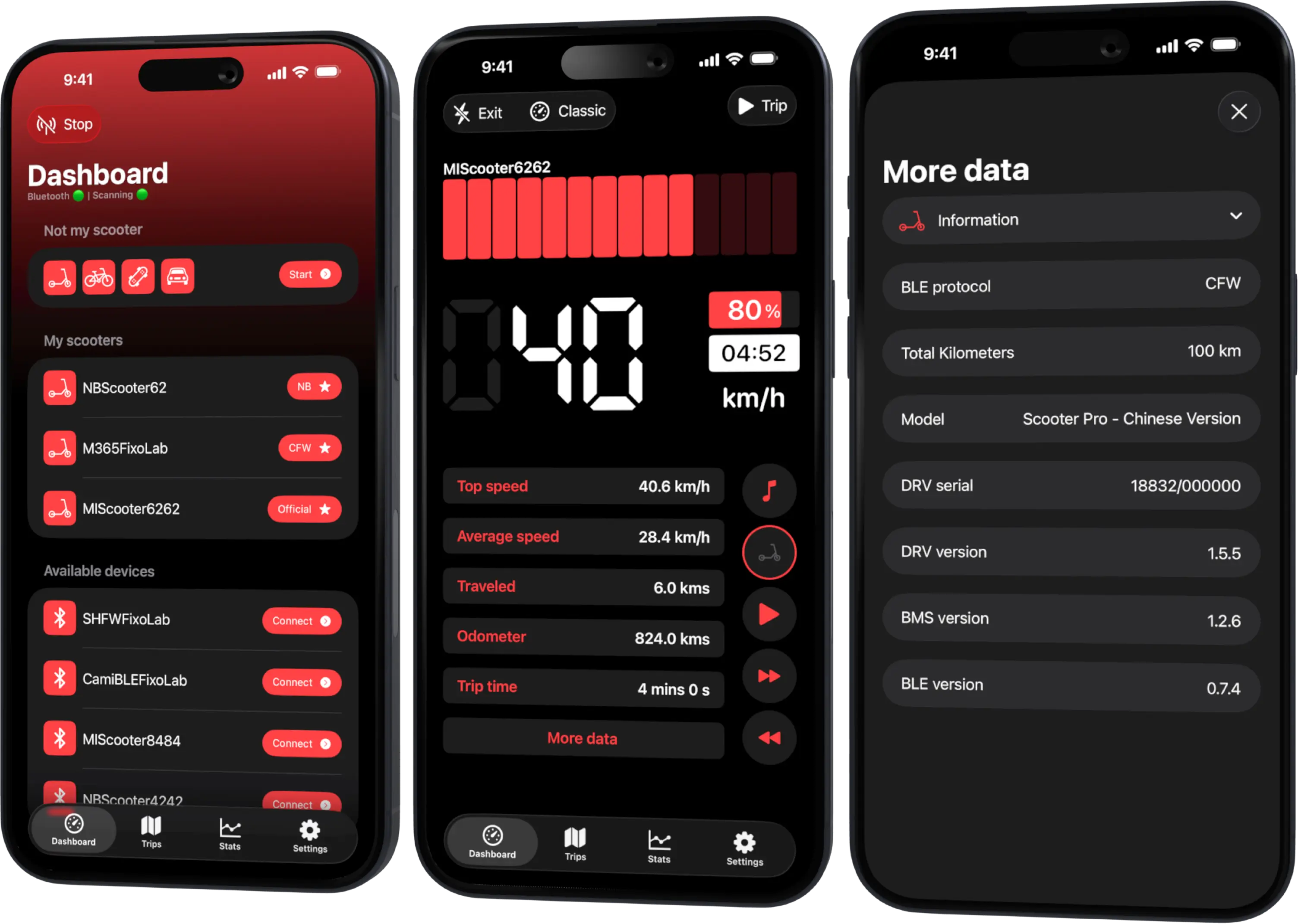
Monitor speed, battery, mileage, temperature and routes in real time, with support for official and custom firmware
Available on Android, iPhone, iPad and Mac, with Wear OS support and iCloud sync on Apple devices
Know what the export contains
Available export and sharing options differ by Scooter Tools platform and current feature set. A trip record may contain summary statistics, timestamps, map points, speed or scooter context.
Preview the actual file or share sheet rather than assuming a screenshot is anonymous.
Minimize the route
Home and work are often visible from the first and last points. For support or a public comparison:
- crop the beginning and end;
- remove long stationary clusters;
- avoid exact recurring departure times;
- use a representative middle segment;
- prefer aggregated distance and battery change when the map is unnecessary.
Do not fabricate data; clearly state when the route has been redacted.
Redact identifiers and secrets
Remove scooter serial numbers, Bluetooth addresses, pairing keys, bind tokens, account identifiers and unredacted diagnostic logs. A friendly scooter name can also contain a person’s name or location.
Raw BLE frames are rarely needed for ordinary support and may expose protocol material. Share them only through an authorized secure diagnostic process.
Choose a useful support package
For a trip-recording issue, provide:
- Scooter Tools version and platform;
- scooter model and protocol mode;
- approximate date and duration;
- required permission state;
- whether Bluetooth disconnected;
- expected versus recorded summary;
- a redacted map segment only if location is relevant.
This is more useful than a full archive with no explanation.
Store exports safely
Use storage approved for personal location data. Check cloud-sharing permissions and remove public links when diagnosis ends. Encrypt sensitive archives and send the password through a separate channel when the recipient supports that workflow.
Delete unnecessary copies from downloads, chat attachments and shared folders.
Comparing rides
If the goal is efficiency, a table with date range, distance, battery change, mode, temperature, wind, pressure and payload is often enough. It protects location while retaining the variables that explain consumption.
Use consistent units and mark estimates. Do not strip so much context that two unlike rides appear equivalent.
Platform differences
Do not promise identical export formats across iOS and Android. Verify the current app. If a desired format is unavailable, share a redacted summary rather than installing an unknown converter that requests broad file or account access.
Read how to compare rides and battery efficiency for the analysis fields.
Frequently asked questions
Is a map screenshot anonymous?
Usually not. Roads, endpoints, labels and timestamps can identify a routine.
Does support need my pairing key?
Ordinary support should not. Never post pairing or bind secrets publicly.
Should I remove timestamps?
Remove exact values when they are not needed; retain an approximate period if it helps diagnosis.
Can I publish aggregate statistics?
Yes, after checking that names, identifiers, route shape and metadata do not reveal private information.
Your Xiaomi and Ninebot scooter dashboard
Monitor speed, battery, mileage, temperature and routes in real time, with support for official and custom firmware
Available on Android, iPhone, iPad and Mac, with Wear OS support and iCloud sync on Apple devices
| FixoLab
Why BLE Scooter Control Stays Private and Local to Your Phone
Why the connection between Scooter Tools and your scooter is a direct Bluetooth link with no cloud step involved, and exactly where your scooter data actually goes.
| FixoLab
How to compare scooter rides and battery efficiency
Use repeatable routes and Scooter Tools trip data to compare battery use without confusing weather, speed, elevation or payload with battery degradation.
| FixoLab
Why scooter odometer, trip and map distance can differ
Explain differences between scooter odometer, app trip distance and mapped route using wheel data, GPS sampling, rounding and connection state.
| FixoLab
Using the Not My Scooter Dashboard With Your Phone's Sensors
See how Not My Scooter uses your phone's own sensors for a speedometer-style dashboard, with no Bluetooth connection to a vehicle.