How tire pressure affects electric scooter range and handling
Tire pressure changes more than ride comfort. On an electric scooter it can affect rolling resistance, steering response, braking feel, tire wear and the amount of battery energy required to cover a route.
Scooter Tools does not measure tire pressure. Xiaomi and Ninebot scooters supported by the app do not provide a live PSI value through the Bluetooth telemetry used by Scooter Tools. You still need a suitable pressure gauge or pump and the specification for your exact model.
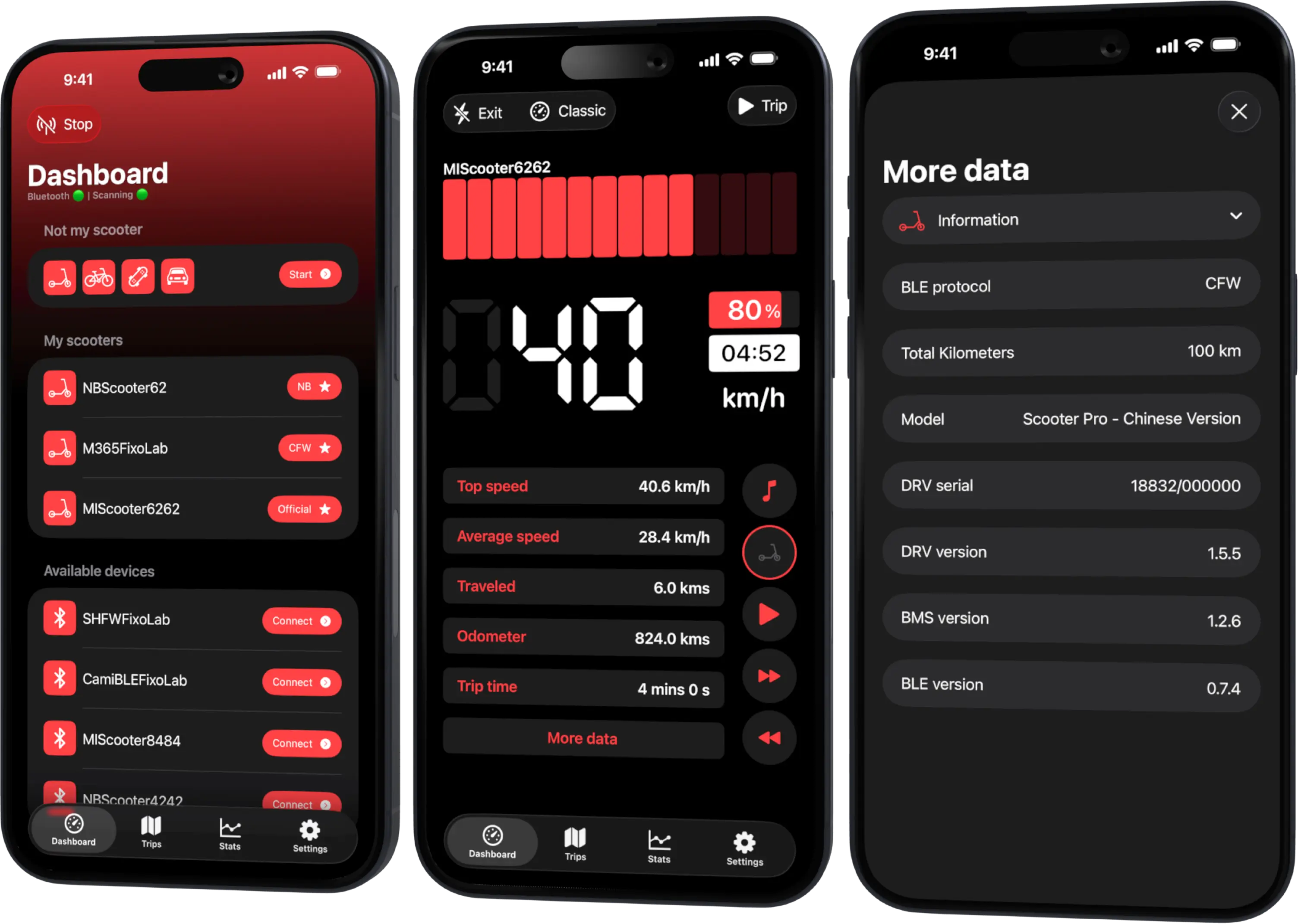
What Scooter Tools can do is help you compare the result: battery percentage, estimated range and recorded trip distance can show whether a properly inflated scooter behaves more consistently on a repeated route.
Your Xiaomi and Ninebot scooter dashboard
Monitor speed, battery, mileage, temperature and routes in real time, with support for official and custom firmware
Available on Android, iPhone, iPad and Mac, with Wear OS support and iCloud sync on Apple devices
Why low tire pressure reduces efficiency
An underinflated pneumatic tire deforms more as it rolls. That larger contact patch and repeated flexing require additional energy, so the motor must work harder to maintain the same speed. The effect becomes more noticeable with rider weight, hills, rough surfaces and cold weather.
Low pressure can also:
- make steering feel slow or vague;
- increase the chance of pinch damage on a hard impact;
- generate extra heat and tire wear;
- change braking response and cornering stability;
- shorten real-world range compared with an otherwise similar ride.
Pressure that is too high is not a free range upgrade. It can reduce grip and comfort and make the scooter react more sharply on poor surfaces. The correct target is the range specified by the scooter or tire manufacturer, not the highest number the tire sidewall can physically tolerate.
There is no universal pressure for every Xiaomi and Ninebot
Some Xiaomi manuals and support pages specify 45–50 psi for particular models, while Segway publishes different ranges for some Ninebot scooters. Tire size, construction, rider load and regional model differences all matter.
Use this order of authority:
- the current manual for your exact scooter model;
- an official manufacturer support page for that model;
- the tire specification fitted to the scooter, interpreted within the vehicle manufacturer’s limits.
Do not copy a number from a different Xiaomi or Ninebot merely because the scooters look similar. Solid tires also have no air pressure to adjust, so this guide applies to pneumatic tires.
When to check the pressure
Check both tires when they are cold, before a ride has warmed them. Use the same reliable gauge when comparing readings.
A practical routine is to check:
- at the interval specified by the manufacturer;
- after a large temperature change;
- before a long or important trip;
- after the scooter has been stored for several weeks;
- whenever handling feels different or range drops unexpectedly;
- after an impact, puncture repair or tire replacement.
Xiaomi recommends a monthly check on several current models. The exact maintenance interval for your scooter may differ, so keep the model manual as the final reference.
How cold weather changes tire pressure and range together
Air pressure falls when temperature falls. A tire that was correctly inflated in warm conditions can therefore read lower after the scooter spends time in a cold garage or outdoors.
At the same time, a cold battery can deliver less usable energy and the rider may face denser air, wind or wet roads. These effects stack together. If range falls in autumn, checking only the battery can miss a simple tire-pressure contribution.
Read why electric scooter range drops in cold weather for the full seasonal explanation.
Compare the effect with Scooter Tools
Scooter Tools cannot diagnose the tire, but it can record enough ride information to make a careful comparison.
Before the first ride
- Record the tire pressure with an external gauge.
- Note battery percentage and estimated range in Scooter Tools.
- Choose a familiar route and riding mode.
- Keep rider and cargo weight similar.
After correcting the pressure
- Inflate both tires to the specification for your exact model.
- Repeat the route in similar weather and traffic conditions.
- Compare distance, duration, average speed and battery change.
- Treat a single result as an observation, not proof.
Several comparable rides are more useful than one. Wind, stops, gradients and acceleration can easily outweigh a small pressure change.
The guide to recording trips and ride stats explains how Scooter Tools stores distance, duration and speed while the Bluetooth connection remains active.
What the app can and cannot tell you
| Question | Scooter Tools |
|---|---|
| Current battery percentage | Shown when reported by the scooter |
| Estimated remaining range | Shown or derived from available telemetry, depending on platform and model |
| Trip distance, duration and speed | Recorded for compatible connected rides |
| Tire pressure in PSI or bar | Not available from the scooter telemetry |
| Whether a tire is punctured or structurally damaged | Not diagnosed by the app |
| Correct pressure for your model | Must come from the manufacturer’s documentation |
This distinction matters: an app cannot make a damaged tire safe. Stop using the scooter and inspect it if you find a cut, bulge, exposed cord, damaged valve or repeated pressure loss.
Safe inflation checklist
- Switch the scooter off and place it on a stable surface.
- Use a pump and gauge suitable for the valve and pressure range.
- Follow the model-specific pressure, not a generic internet value.
- Check front and rear tires separately; their specifications may differ.
- Refit the valve caps after checking.
- Do not exceed the scooter or tire manufacturer’s limit.
- Investigate recurring pressure loss instead of repeatedly topping it up.
If you are unsure about the tire, valve or rim, use an authorized service center or qualified repair shop.
Frequently asked questions
Can Scooter Tools warn me when tire pressure is low?
No. The supported scooter protocols do not provide a live tire-pressure reading to the app.
Will higher pressure always increase range?
No. Going above the manufacturer specification can reduce grip, comfort and stability. Stay within the documented range for your model.
Why did my pressure fall when the tire has no puncture?
Pneumatic tires naturally lose some air over time, and a lower ambient temperature reduces the measured pressure. Repeated or rapid loss still needs inspection.
Can I use trip history to calculate the perfect pressure?
Trip history can help compare consistent rides, but it cannot determine a safe pressure. The manufacturer specification remains the authority.
Your Xiaomi and Ninebot scooter dashboard
Monitor speed, battery, mileage, temperature and routes in real time, with support for official and custom firmware
Available on Android, iPhone, iPad and Mac, with Wear OS support and iCloud sync on Apple devices
| FixoLab
Solid, pneumatic and tubeless electric scooter tires compared
Compare solid, tubed pneumatic and tubeless electric scooter tires for grip, comfort, puncture risk, maintenance and effect on ride data.
| FixoLab
How rider weight and payload affect electric scooter range
Understand how total mass changes acceleration, hills, braking, tire load and real-world range without treating the scooter's maximum payload as a target.
| FixoLab
Reading Battery, Range, Temperature and Mileage in Scooter Tools
How Scooter Tools reads battery percentage, estimated range, temperature and mileage directly from your scooter's BMS over Bluetooth and shows them on your live dashboard.
| FixoLab
Eco, Drive and Sport modes on electric scooters explained
Compare electric scooter riding modes by acceleration, speed, range and traction, and use trip data to choose a mode for the route rather than the label.