Electric scooter error codes and a safe troubleshooting workflow
An error code is an identifier produced by a particular model and firmware. The same number can mean something different on another scooter, and an app may display a protocol value without being the authority that defined it.
Preserve the exact message and diagnose from the manufacturer documentation. Do not copy a repair from a visually similar scooter.

Your Xiaomi and Ninebot scooter dashboard
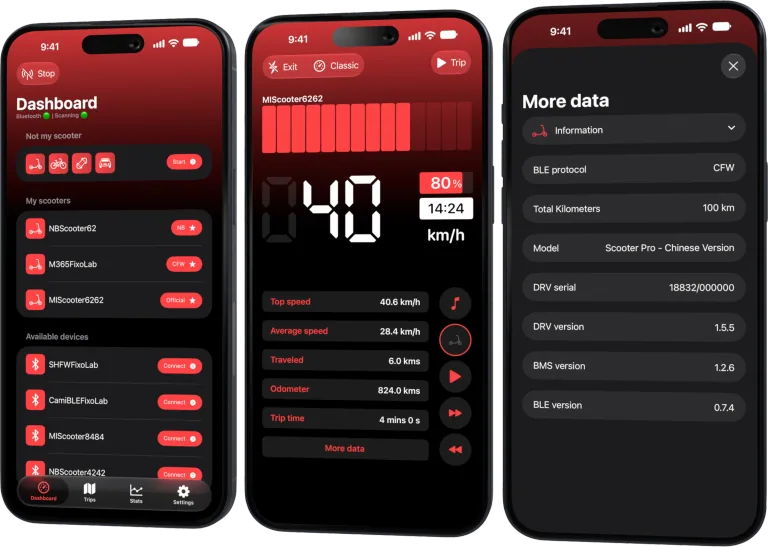
Monitor speed, battery, mileage, temperature and routes in real time, with support for official and custom firmware
Available on Android, iPhone, iPad and Mac, with iCloud sync on Apple devices
Stop safely first
Reduce speed, leave traffic and power down if the manual or behavior requires it. Do not continue when braking, steering, battery condition or motor control is affected. Heat, smoke, swelling, chemical smell or damaged wiring requires distance and qualified emergency or service guidance.
Capture the complete context
Before clearing anything, note:
- exact code and wording;
- scooter model and regional variant;
- firmware family and protocol mode;
- battery percentage and available temperature;
- whether it appeared during charging, startup, climbing or braking;
- recent rain, impact, tire or brake service;
- whether it disappears and returns.
A redacted screenshot can help, but remove serial numbers, Bluetooth identifiers, route details and pairing material.
Use the correct source
Check the current manual, official support page or authorized service information for the exact model. Community explanations can be useful leads, but verify them before touching safety-critical hardware.
Scooter Tools does not turn a generic code table into a guaranteed diagnosis. It can show compatible telemetry and connection state around the event.
Inspect without creating a new hazard
Perform only the external checks allowed by the documentation: visible cable damage, charging-port condition, tire clearance, brake state and obvious loose parts. Do not open a battery or probe powered high-current wiring without qualification.
Never bridge a sensor, bypass a protective interlock or install unknown firmware to silence the code.
Avoid the reset loop
One documented restart may distinguish a temporary communication issue. Repeatedly power-cycling, reconnecting or clearing the message can erase context and expose the scooter to the same fault under load.
If the error returns, stop and escalate with the recorded conditions.
Separate app and scooter errors
A Bluetooth timeout or permission error in Scooter Tools is not necessarily a vehicle fault. Conversely, a vehicle error remains important even if the app reconnects. Identify which component produced the message and whether the scooter’s own display or official app agrees.
Prepare a service report
Share model, code, firmware category, event conditions, recent service and repeatability. Include only the minimum redacted data. If the problem affects brakes, battery or unexpected acceleration, arrange transport rather than riding to the shop.
For connection-only symptoms, use the clean rescan flow.
Frequently asked questions
Can I search the number without the model name?
That is unreliable. Always include the exact model and firmware context.
Does reconnecting fix a scooter hardware code?
It may refresh what the app displays, but it does not repair hardware.
Should I clear the code before service?
Preserve it and follow official instructions. The history can help diagnosis.
Can support ask for raw pairing secrets?
Ordinary diagnosis should use redacted context. Do not publish keys, bind tokens or complete raw frames.
Your Xiaomi and Ninebot scooter dashboard
Monitor speed, battery, mileage, temperature and routes in real time, with support for official and custom firmware
Available on Android, iPhone, iPad and Mac, with iCloud sync on Apple devices
| FixoLab
Electric scooter battery health warning signs and useful data
Separate normal range variation from possible electric scooter battery trouble using repeatable rides, available telemetry and physical warning signs.
| FixoLab
How to inspect a used electric scooter with telemetry and physical checks
Evaluate a used electric scooter by combining ownership evidence, mechanical inspection, battery warning signs and compatible read-only telemetry.
| FixoLab
Electric scooter brake maintenance and warning signs
Recognize brake wear, changing lever feel and unsafe stopping behavior on an electric scooter, with a practical inspection and service checklist.
| FixoLab
Eco, Drive and Sport modes on electric scooters explained
Compare electric scooter riding modes by acceleration, speed, range and traction, and use trip data to choose a mode for the route rather than the label.