Common Questions About Scooter Tools Compatibility With Your Scooter
Compatibility
Common compatibility questions, answered
A roundup of the questions owners ask most about connecting Xiaomi and Ninebot scooters to Scooter Tools — from accounts to firmware to platform differences.
Before you check a specific question
- Know your scooter's brand and model
- Check the compatibility table for your exact firmware, if relevant
How to use this FAQ
- 1
Find your topic below
Accounts, firmware, platforms and general behavior are grouped together.
- 2
Check the linked guide for more detail
Each topic links to a full guide if you need more than a short answer.
Topics covered
- Accounts and cloud requirements
- Official firmware, CFW and NB
- iOS vs. Android differences
What this page isn't
- It isn't a replacement for the live compatibility table
- It isn't a firmware installation or tuning guide
Related troubleshooting
My question isn't answered here
Check the compatibility table for model-specific detail, or the connection troubleshooting guides for pairing issues.
Frequently asked questions
Do I need a Xiaomi, Ninebot or Segway account?
No, Scooter Tools connects directly over Bluetooth with no manufacturer account required.
Does Scooter Tools work with CFW?
Yes, on verified models and builds — it reads data the same way as on Official firmware.
Is there a difference between iOS and Android?
The core dashboard is the same; iOS adds widgets and an Apple Watch companion.
Can Scooter Tools unlock or tune my scooter?
No, it's a monitoring dashboard only — it never installs or modifies firmware.
Check your exact model
See every verified scooter and firmware combination.
Your Xiaomi and Ninebot scooter dashboard
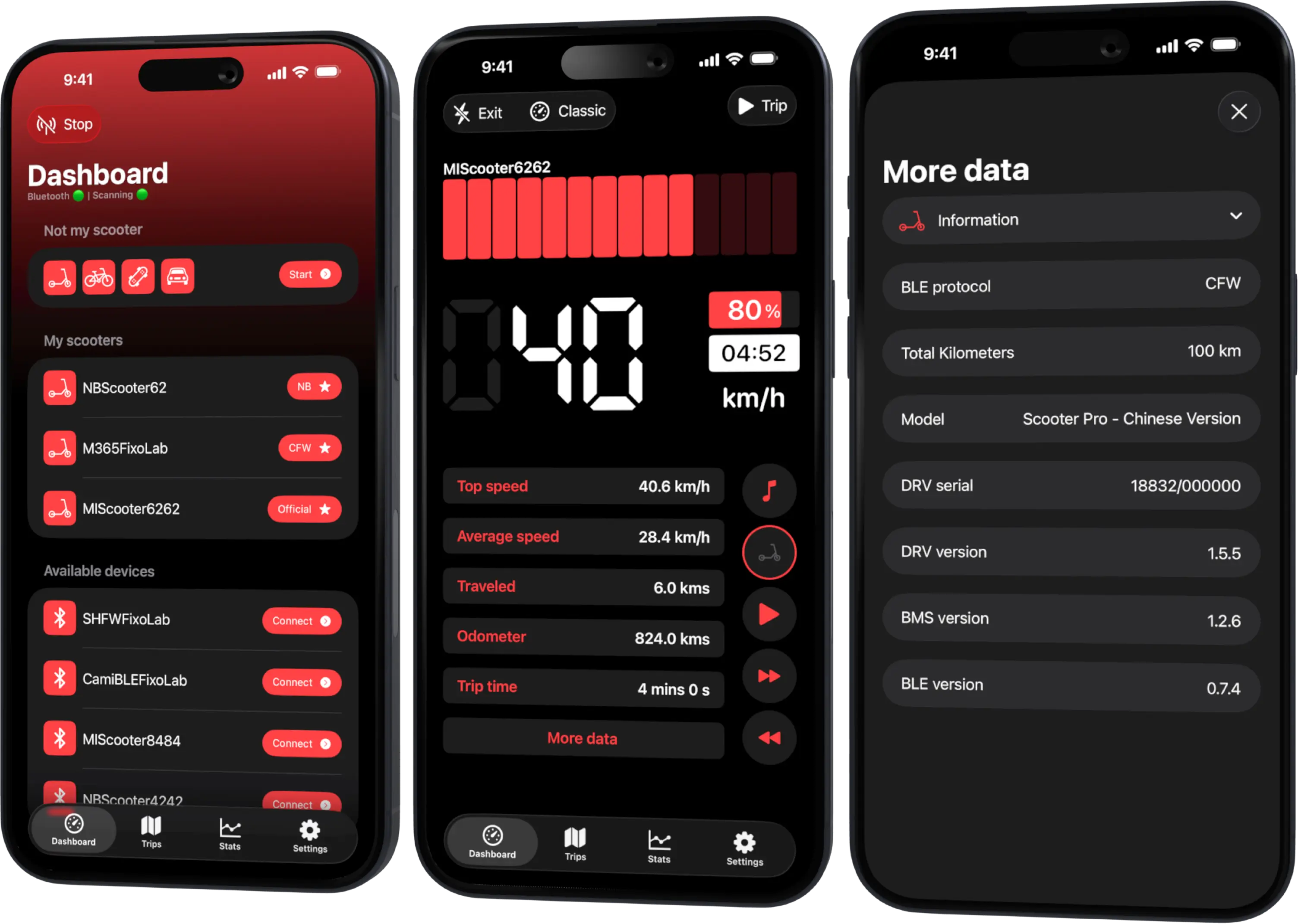
Monitor speed, battery, mileage, temperature and routes in real time, with support for official and custom firmware
Available on Android, iPhone, iPad and Mac, with Wear OS support and iCloud sync on Apple devices
| FixoLab
What Custom Firmware (CFW) Changes for Monitoring in Scooter Tools
Understand what CFW (custom firmware) means for Scooter Tools monitoring and compatibility — it only reads data, it never installs or modifies firmware.
| FixoLab
SHFW as a Third Firmware Path for Scooter Tools Users
Understand what SHFW is, how it compares to Official firmware and CFW, and what Scooter Tools reads from scooters running it.
| FixoLab
Quick Start Guide (For Xiaomi and Ninebot owners)
A five-minute Xiaomi and Ninebot quick start: scan, connect, let Scooter Tools detect Official, CFW or NB, and verify the live dashboard.
| FixoLab
Ninebot F20 Compatibility With Scooter Tools
See if the Ninebot F20 works with Scooter Tools on Official firmware, and what you can monitor once connected.