When to charge an electric scooter after a cold or wet ride
Plugging in immediately after every ride is not always the safest routine. Rain can leave moisture around connectors, a hard ride can heat the battery, and winter conditions can leave lithium cells too cold for charging.
There is no universal waiting time. The correct decision comes from the exact manual, the environment and the condition of the scooter.
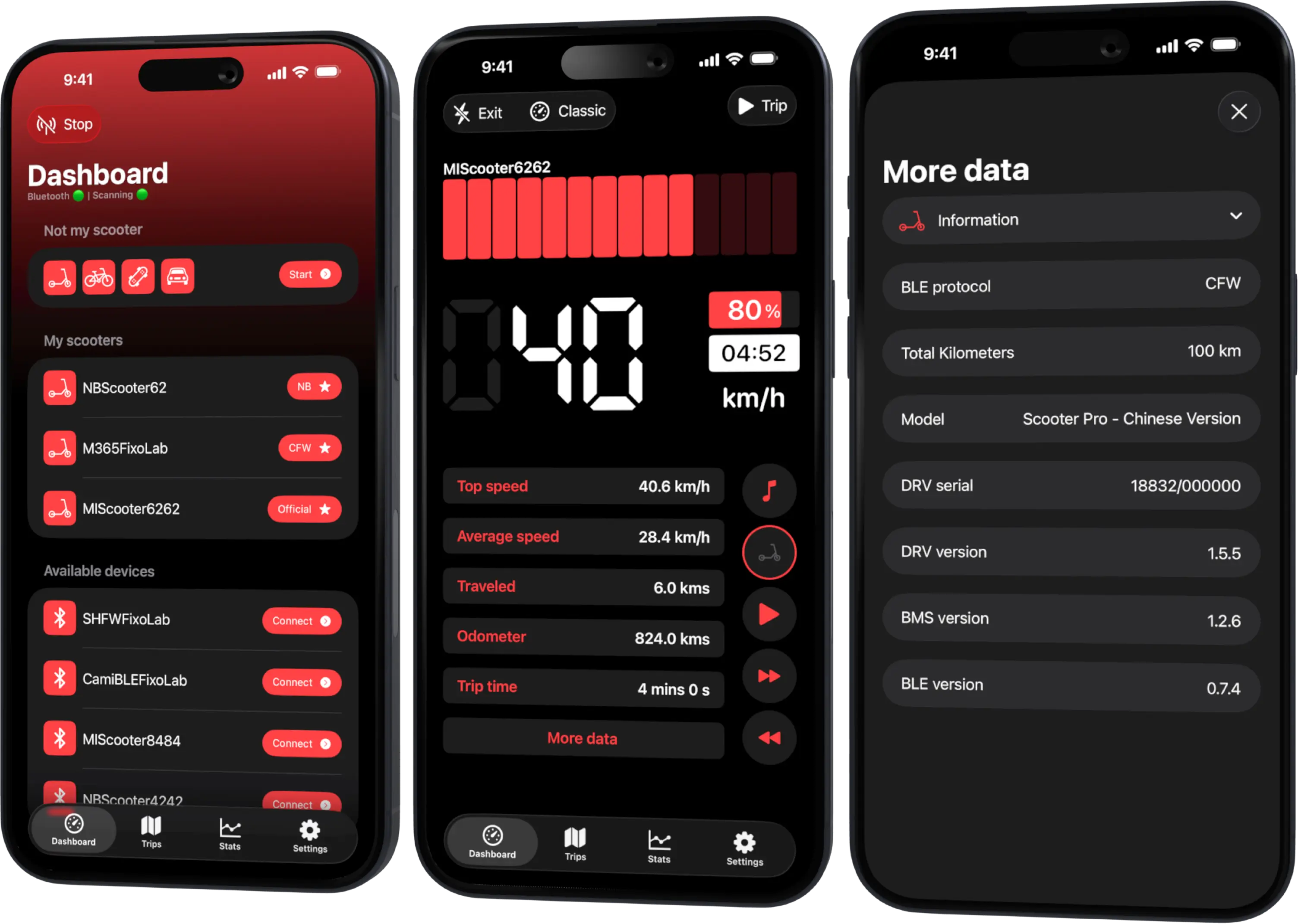
Your Xiaomi and Ninebot scooter dashboard
Monitor speed, battery, mileage, temperature and routes in real time, with support for official and custom firmware
Available on Android, iPhone, iPad and Mac, with Wear OS support and iCloud sync on Apple devices
After a wet ride
Switch the scooter off and move it to a dry, ventilated location. Wipe external water and inspect the charging-port cover, connector and nearby enclosure. Do not insert a plug into a wet or dirty port.
If there was immersion, internal fogging, a damaged seal or electrical malfunction, do not charge. Follow the manufacturer’s service instructions or use qualified service.
After a cold ride
Lithium-ion batteries normally have a permitted charging-temperature range. A pack that has been outside in freezing conditions may need time to warm naturally indoors.
Do not use a heater, hair dryer or hot surface. External heat can create uneven cell temperature and damage plastics or seals. Allow the complete scooter to stabilize in the dry environment defined by the manual.
After a hot or demanding ride
Long climbs, high ambient temperature and sustained load can heat the motor, controller and battery. Let the vehicle cool within its normal environment before charging if the documentation requires it.
A displayed temperature from compatible telemetry is useful context, not proof that every cell and connector is ready.
A decision checklist
Charge only when all applicable answers are yes:
- Is charging allowed at the current battery and room temperature?
- Is the charging port completely dry and clean?
- Is the battery enclosure undamaged and normal in shape?
- Is there no unusual heat, smell, noise or error?
- Is the approved charger itself dry and intact?
- Is the charging location stable, ventilated and clear of exits?
If you cannot answer confidently after a serious exposure, obtain service rather than experimenting.
Condensation after coming indoors
A cold scooter can collect condensation in warm humid air. The exterior may dry before inaccessible areas do. This is one reason a fixed “wait 30 minutes” rule is unreliable.
Keep it off, ventilated and away from direct heat, then apply the manufacturer’s criteria.
What Scooter Tools can contribute
When it is safe to power the scooter, the app may show battery percentage, temperature and error state on a compatible model. Use that information with the physical inspection.
The app cannot sense moisture inside the port or certify the battery for charging. It also does not replace the charger and battery-management protections.
Read charging habits that protect battery lifespan for the full routine.
Frequently asked questions
How many minutes should I wait?
There is no universal number. Temperature, moisture, model and exposure differ; follow the exact manual.
Can I charge if only the deck is wet?
Dry and inspect the scooter first. Water can travel to openings that are not obvious from the surface.
Can I warm the battery beside a radiator?
No. Let it normalize naturally within the permitted storage environment.
Does a normal temperature reading prove charging is safe?
No. It may represent one sensor and says nothing about moisture or connector damage.
Your Xiaomi and Ninebot scooter dashboard
Monitor speed, battery, mileage, temperature and routes in real time, with support for official and custom firmware
Available on Android, iPhone, iPad and Mac, with Wear OS support and iCloud sync on Apple devices
| FixoLab
Why electric scooter range drops in cold weather
Understand why cold weather reduces Xiaomi and Ninebot scooter range and how to interpret battery, temperature and trip data in Scooter Tools.
| FixoLab
Electric scooter charging habits that protect battery lifespan
Build a safer charging routine for an electric scooter battery, avoid heat and deep discharge, and separate everyday range from long-term battery health.
| FixoLab
Reading Battery, Range, Temperature and Mileage in Scooter Tools
How Scooter Tools reads battery percentage, estimated range, temperature and mileage directly from your scooter's BMS over Bluetooth and shows them on your live dashboard.
| FixoLab
Eco, Drive and Sport modes on electric scooters explained
Compare electric scooter riding modes by acceleration, speed, range and traction, and use trip data to choose a mode for the route rather than the label.