Why scooter charging stops before 100 percent
Charging below the displayed 100 percent can be intentional protection, a measurement issue or a fault. The correct response is not to force current past the scooter’s limits.
Scooter Tools can show supported local Bluetooth telemetry and trip context. It does not flash firmware, bypass ownership, certify a repair or replace the scooter manufacturer’s safety instructions.

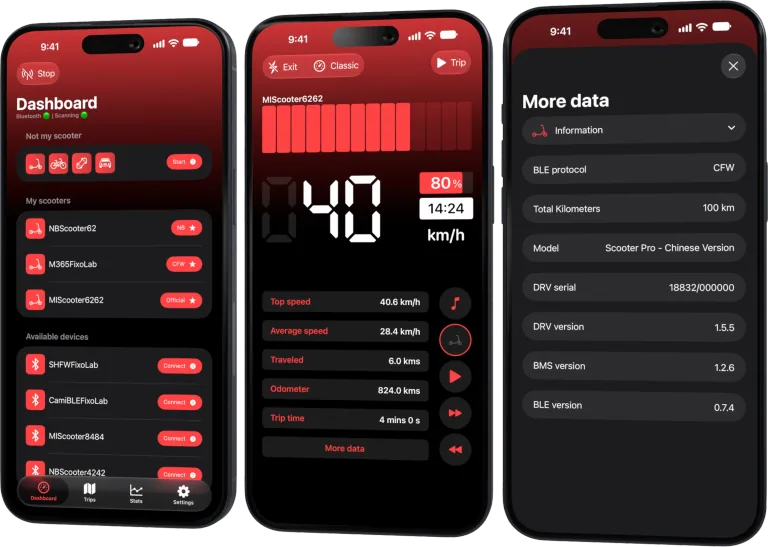
Your Xiaomi and Ninebot scooter dashboard
Monitor speed, battery, mileage, temperature and routes in real time, with support for official and custom firmware
Available on Android, iPhone, iPad and Mac, with iCloud sync on Apple devices
Check temperature and configured limits
Some systems pause outside the permitted charging range or support a user-selected charge cap. Confirm the model’s official settings and environment.
Allow the normal finishing phase
Cell balancing and current taper can make the final stage slow. Leave the approved charger connected only as the manual permits and observe whether the state stabilizes.
Compare charger and scooter indications
Record the charger light, percentage, voltage and any error. A standby light with a low scooter value differs from an active charger that later resumes.
Look for repeatable capacity loss
If the stopping point falls over time, range declines or the pack shows abnormal heat, seek service. Do not attempt a balancing procedure by opening the battery.
Safe review checklist
- Verify any charge-limit setting.
- Charge within allowed temperature.
- Observe the full normal cycle.
- Document persistent early stopping.
Frequently asked questions
Should I repeatedly unplug and reconnect?
No. Repeated forcing can hide the original fault and is not a repair.
Can a firmware update change the display?
It may change estimation or protection behavior; use official release notes.
Does 99 percent indicate a failure?
Not necessarily. Rounding and balancing can prevent a constant exact 100 display.
Your Xiaomi and Ninebot scooter dashboard
Monitor speed, battery, mileage, temperature and routes in real time, with support for official and custom firmware
Available on Android, iPhone, iPad and Mac, with iCloud sync on Apple devices
| FixoLab
What to check when an electric scooter charger is not charging
Use a safe diagnostic sequence for a scooter that will not charge without opening the battery or bypassing protection.
| FixoLab
When to charge an electric scooter after a cold or wet ride
Decide when charging is safe after rain, cold or a hard ride by checking moisture, battery temperature, connectors and manufacturer limits.
| FixoLab
Electric scooter charger warning signs that need attention
Recognize heat, noise, odor, cable and charging behavior that should stop a charging session and trigger service.
| FixoLab
Electric scooter charging habits that protect battery lifespan
Build a safer charging routine for an electric scooter battery, avoid heat and deep discharge, and separate everyday range from long-term battery health.