Qué significan los modos Official, CFW y NB para Scooter Tools
Protocolos
¿Qué significan realmente Official, CFW y NB?
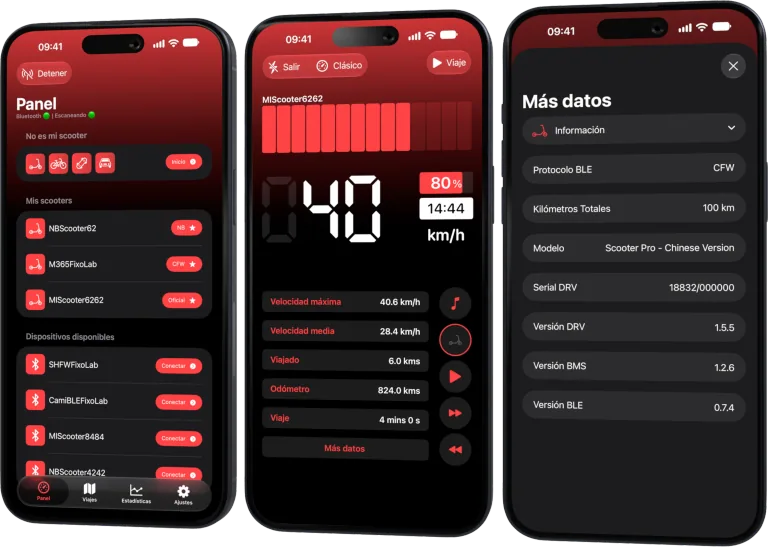
Son los tres modos de conexión que Scooter Tools reconoce al leer los datos Bluetooth de tu patinete. Los tres tienen que ver con lo que Scooter Tools puede monitorizar y leer, ninguno es algo que Scooter Tools instale, cambie o desbloquee en tu patinete.
Por qué esto importa antes de conectar
- El firmware de tu patinete determina exactamente qué campos de datos puede leer Scooter Tools
- Los tres modos de abajo no son una clasificación: son simplemente distintos protocolos Bluetooth que usan los fabricantes y la comunidad
- Scooter Tools detecta el modo automáticamente; no necesitas seleccionarlo manualmente
Cómo los distingue Scooter Tools
- 1
Firmware Official
El firmware que envía y actualiza el fabricante a través de su propia app. Scooter Tools lee velocidad, batería y datos de viaje directamente por Bluetooth una vez emparejado.
- 2
CFW (firmware personalizado)
Firmware de terceros que algunos propietarios instalan para desbloquear funciones que el fabricante no ofrece. Scooter Tools sigue pudiendo leer datos de un patinete con CFW en los modelos compatibles; no lo instala ni lo modifica.
- 3
NB
Un protocolo Bluetooth independiente que Scooter Tools también reconoce en hardware compatible, junto a Official y CFW. La compatibilidad y los campos disponibles dependen del modelo concreto y la versión de firmware.
Qué se mantiene igual en los tres modos
- Solo conexión Bluetooth local, sin necesidad de cuenta en la nube
- No se envían comandos que cambien los límites de velocidad ni la configuración del patinete
- El mismo diseño de panel en vivo para velocidad, batería y viajes
- Detección automática: nunca tienes que elegir un modo manualmente
Qué puede variar entre modos
- Qué campos de datos exactos están disponibles (algunos dependen de la versión de firmware)
- Si se necesita una confirmación de emparejamiento única en el patinete
- Cuánto tarda en verificarse una versión de firmware recién lanzada
Solución de problemas
No sé qué modo usa mi patinete
No necesitas saberlo de antemano: Scooter Tools lo detecta automáticamente durante el escaneo y la conexión.
Faltan algunos campos tras conectar
Esto suele deberse a que una versión de firmware concreta aún no está verificada para ese campo, no al modo en sí. Revisa la tabla de compatibilidad para tu modelo y firmware exactos.
Solo local, por diseño
Sea cual sea el modo que use tu patinete, la conexión es un enlace Bluetooth directo entre tu teléfono y el vehículo. Nada de cómo Scooter Tools lee datos Official, CFW o NB cambia eso.
Preguntas frecuentes
¿Puede Scooter Tools instalarme firmware personalizado?
No. Scooter Tools solo lee datos de tu patinete por Bluetooth: no instala, flashea ni modifica ningún tipo de firmware.
¿Es un modo 'mejor' que los otros?
No, son protocolos Bluetooth distintos usados por distintos fabricantes y comunidades, no una clasificación. Scooter Tools admite leer datos en los tres en modelos verificados.
¿Usar CFW anula algo en Scooter Tools?
No, Scooter Tools funciona igual sin importar el firmware: simplemente lee los datos que el firmware de tu patinete expone por Bluetooth.
Comprueba tu modelo y firmware exactos
Descubre qué modo usa tu patinete y qué puede leer Scooter Tools de él.
Tu panel para patinetes Xiaomi y Ninebot
Monitoriza velocidad, batería, kilometraje, temperatura y rutas en tiempo real, con soporte para firmwares oficiales y personalizados
Disponible en Android, iPhone, iPad y Mac, con sincronización de iCloud en dispositivos Apple
| FixoLab
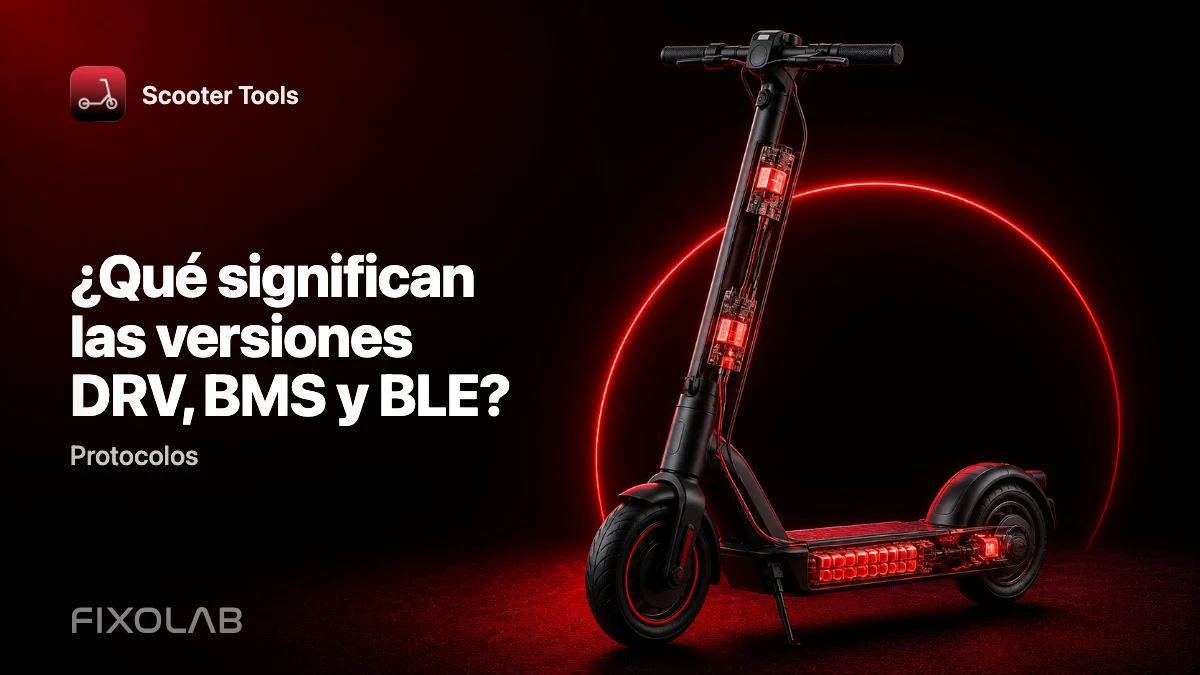
Las versiones de firmware DRV, BMS y BLE explicadas
Descubre qué significan los componentes de firmware DRV, BMS y BLE y por qué Scooter Tools comprueba los tres para confirmar la compatibilidad con tu patinete.
| FixoLab
Elegir el modo de protocolo adecuado para tu patinete
Por qué no necesitas elegir tú mismo un modo de protocolo: Scooter Tools detecta automáticamente el firmware Official, CFW o NB durante el escaneo y la conexión.
| FixoLab
Qué cambia el firmware personalizado (CFW) para la monitorización en Scooter Tools
Entiende qué significa el CFW (firmware personalizado) para la monitorización y compatibilidad de Scooter Tools: solo lee datos, nunca instala ni modifica firmware.
| FixoLab
SHFW como tercera vía de firmware para usuarios de Scooter Tools
Entiende qué es el SHFW, cómo se compara con el firmware Official y el CFW, y qué lee Scooter Tools de los patinetes que lo usan.