Modely a režimy koloběžek Xiaomi kompatibilních se Scooter Tools
Kompatibilita
Funguje Scooter Tools s vaší koloběžkou Xiaomi?
Ano, pokud je vaše koloběžka Xiaomi nebo Mi Electric Scooter jedním z ověřených modelů níže. Scooter Tools se připojuje přímo přes Bluetooth, automaticky čte verzi firmwaru a zobrazuje živý dashboard, bez účtu Mi, bez cloudu, bez ovládání vozidla ze serveru.
Co potřebujete
- Jeden z kompatibilních modelů Xiaomi uvedených níže
- Zapnutý Bluetooth a udělené oprávnění polohy v telefonu
- Nainstalovaný Scooter Tools na iOS nebo Androidu
- Zapnutou koloběžku v dosahu Bluetooth
Připojte se za méně než minutu
- 1
Otevřete Scooter Tools a spusťte skenování
Aplikace zobrazí každou kompatibilní koloběžku nalezenou v okolí přes Bluetooth.
- 2
Vyberte svou koloběžku Xiaomi
Kompatibilní modely jsou rozpoznány automaticky, jakmile odpoví na skenování.
- 3
Potvrďte párování na koloběžce, pokud je to vyžadováno
Některé koloběžky s firmwarem Official vyžadují jednorázové potvrzení přímo na koloběžce.
- 4
Sledujte svůj živý dashboard
Rychlost, baterie, odhadovaný dojezd, jízdní režim a historie jízd se aktualizují v reálném čase.
Kompatibilní modely Xiaomi
Ověřené modely a rodiny firmwaru, se kterými je Scooter Tools otestoval.
| Model | Zaznamenané rodiny firmwaru |
|---|---|
| Xiaomi M365 Pro (čínská verze) | Official, CFW |
| Xiaomi Mi Electric Scooter 1S | Official, CFW |
| Xiaomi Mi Electric Scooter Pro 2 | Official |
| Xiaomi Mi Electric Scooter 3 | Official |
| Xiaomi Mi Electric Scooter Lite (německá verze) | Official |
Co uvidíte po připojení
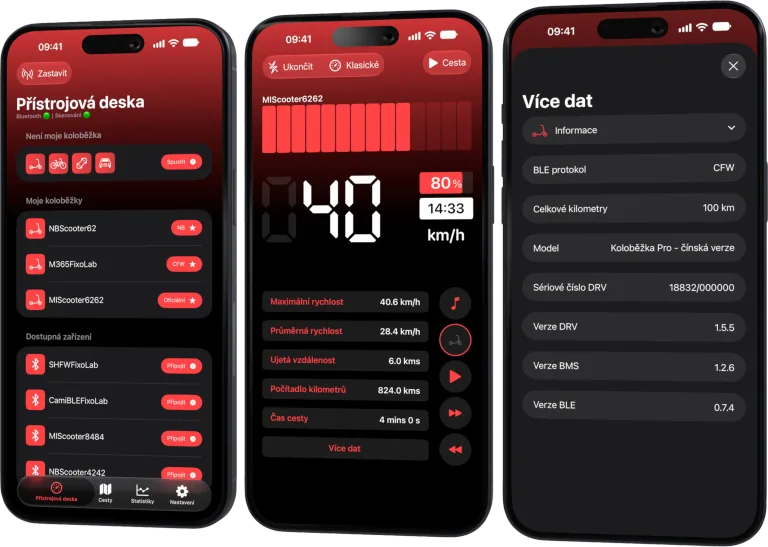
- Živou rychlost, procento baterie a odhadovaný dojezd
- Jízdní režim a celkovou historii jízd
- Podrobnosti o verzi firmwaru (DRV, BMS, BLE) použité k potvrzení kompatibility
- Dashboard fungující bez účtu Xiaomi/Mi
Co Scooter Tools nedělá
- Neodemyká limity rychlosti ani neupravuje firmware, pouze čte to, co koloběžka již hlásí
- Nevyžaduje ani nepoužívá cloudový účet ke svému fungování
- Některé velmi nové verze firmwaru ještě nemusí být ověřené
Řešení problémů
Můj model není ve výsledcích skenování
Zkontrolujte, že jsou udělena oprávnění Bluetooth a polohy, že je koloběžka zapnutá a že jste od ní vzdáleni jen několik metrů. Pokud se stále nezobrazí, zkontrolujte tabulku kompatibility pro přesnou verzi vašeho firmwaru.
Koloběžka se připojí, ale některá data chybí
To obvykle znamená, že koloběžka běží na verzi firmwaru, kterou Scooter Tools pro danou položku ještě neověřil. Základní data (rychlost, baterie) fungují na všech kompatibilních modelech.
Pouze lokálně, záměrně
Spojení mezi Scooter Tools a vaší koloběžkou je přímé Bluetooth spojení mezi telefonem a vozidlem. Na server se nic neposílá a aplikace nikdy neodesílá příkazy, které by měnily limity rychlosti nebo nastavení koloběžky.
Časté dotazy
Potřebuji účet Mi Home nebo Xiaomi?
Ne. Scooter Tools se připojuje přímo přes Bluetooth a nikdy nevyžaduje účet Xiaomi ani Mi Home.
Funguje s CFW (vlastním firmwarem)?
Scooter Tools umí číst data z koloběžek s CFW na podporovaných modelech, ale sám firmware neinstaluje, needituje ani neodemyká.
Bude fungovat na iOS i Androidu?
Ano, Scooter Tools je dostupný na obou platformách se stejným základním dashboardem.
Zobrazit celou tabulku kompatibility
Zkontrolujte každý ověřený model, kombinaci firmwaru a aktuální omezení.
Ovládací panel pro váš skútr Xiaomi a Ninebot
Sledujte rychlost, baterii, ujeté kilometry, teplotu a trasy v reálném čase s podporou oficiálního i vlastního firmwaru
K dispozici pro Android, iPhone, iPad a Mac se synchronizací přes iCloud na zařízeních Apple
| FixoLab
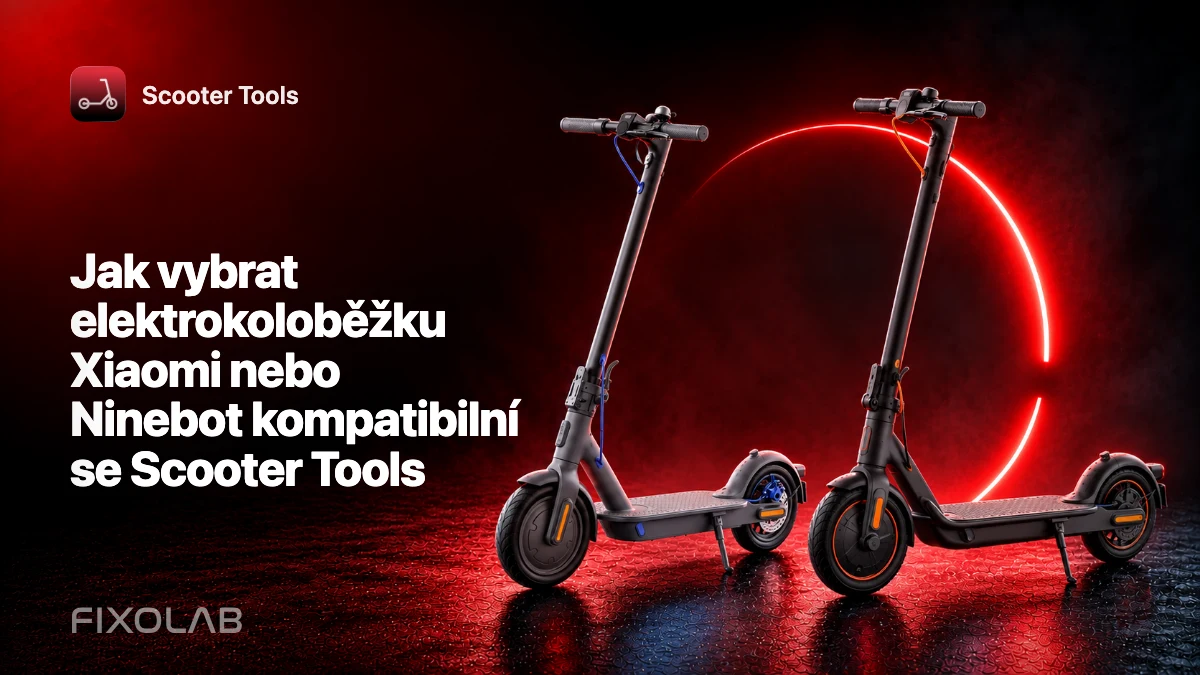
Jak vybrat elektrokoloběžku Xiaomi nebo Ninebot kompatibilní se Scooter Tools
Před koupí elektrokoloběžky Xiaomi nebo Ninebot pro používání se Scooter Tools ověřte přesný model, region, firmware a podporu platformy.
| FixoLab
Časté dotazy ke kompatibilitě Scooter Tools s vaší koloběžkou
Odpovědi na otázky, které majitelé nejčastěji kladou o připojení koloběžek Xiaomi a Ninebot ke Scooter Tools, od účtů přes firmware až po rozdíly mezi platformami.
| FixoLab
Kompatibilita Xiaomi Mi Electric Scooter 1S se Scooter Tools
Zjistěte, zda Xiaomi Mi Electric Scooter 1S funguje se Scooter Tools na Official firmwaru i CFW, a co můžete sledovat po připojení.
| FixoLab
Kompatibilita Xiaomi Mi Electric Scooter Lite (německá verze) se Scooter Tools
Zjistěte, zda Xiaomi Mi Electric Scooter Lite (německá verze) funguje se Scooter Tools na Official firmwaru, a co můžete sledovat po připojení.